
Roblox Bootstrapper · free
Roblox, with the bits it was missing.
CrappleBlox works inside your game, not just before it. Find servers in your region, see who's talking in your Discord call, switch graphics with a key, and theme the lot without ever alt-tabbing.
Version 2.4.0 · macOS 14 or newer · Apple chip and Intel
go on, take a bite
In game
Everything sits on top of Roblox.
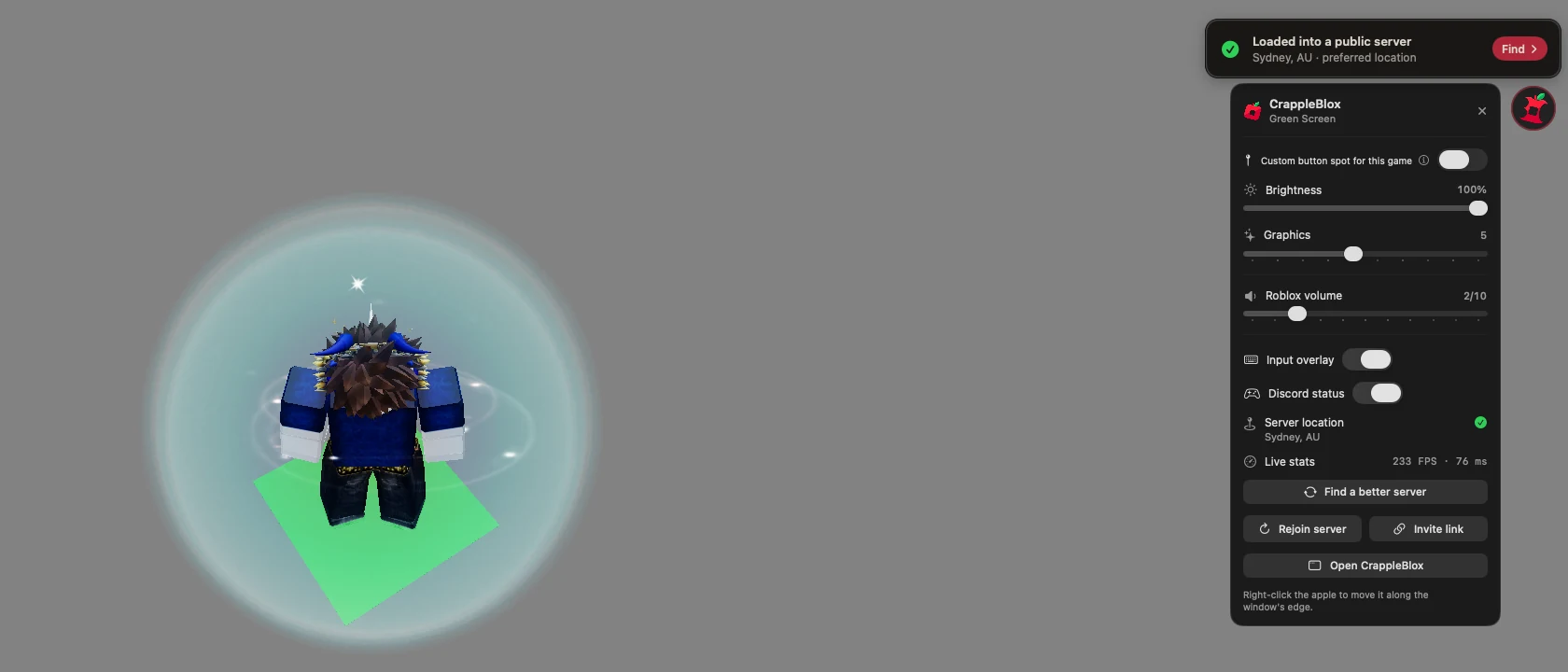
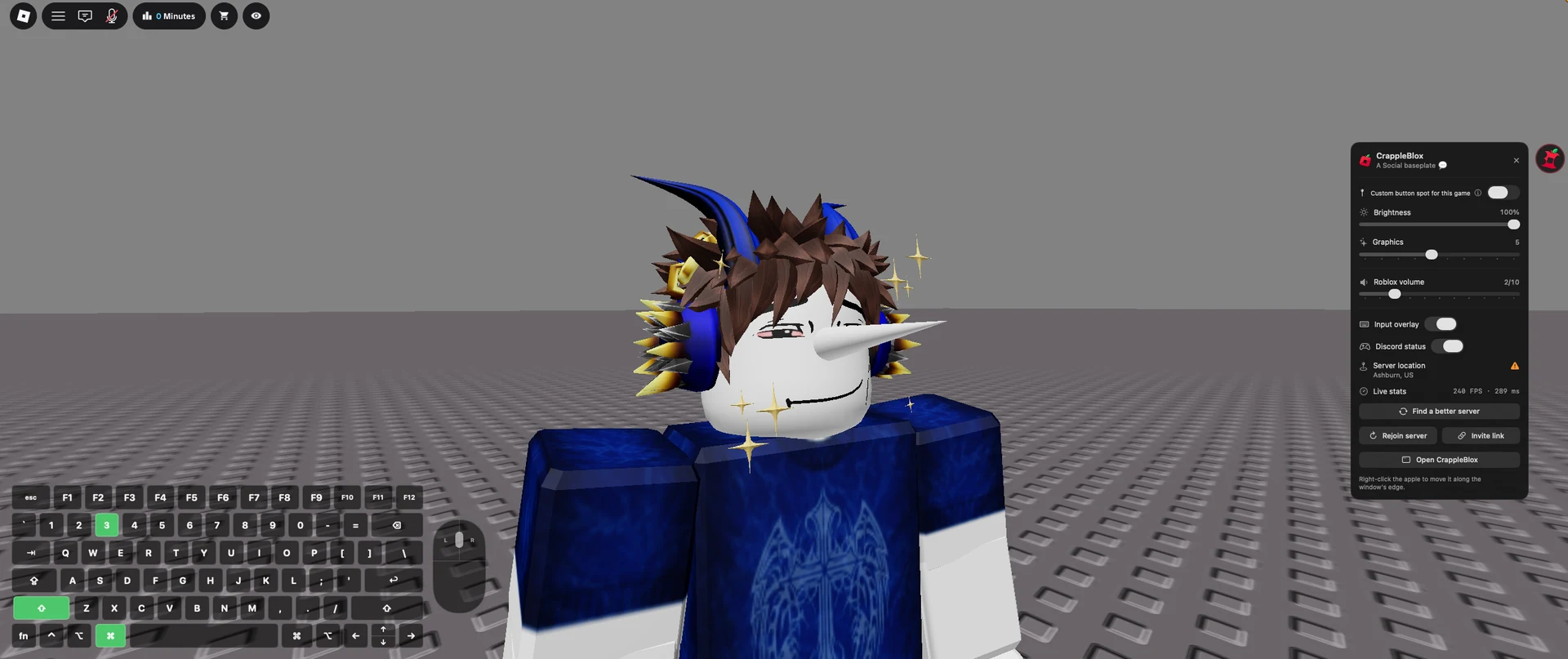
Most launchers stop once the game opens. CrappleBlox keeps going: a small apple in the corner of Roblox opens a menu with everything below, and you never leave the game.
-
The apple button
Tap it for the server's location, live FPS and ping, graphics level and Roblox's own volume. It only measures while it's open, so it costs nothing while you play.
-
Server hunt
Play in Australia but keep landing in US servers? Pick your region and it hops servers for you, up to 40 times, until you're somewhere with a decent ping.

-
Discord call overlay Early access
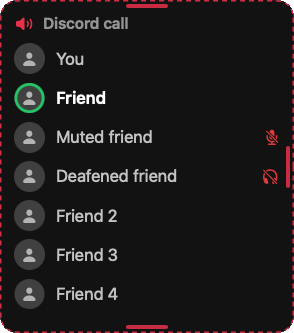
See who's in your call and who's talking, right over the game. In big calls you stay on top, new joiners show up under you, and whoever's talking stays visible.
-
Voice chat timer
Voice chat suspended? A countdown shows when it's back, then rejoins the same server in one click so you can hear everyone again. It reads your suspension from the Roblox account you sign in with, shows which account that is, and lets you switch. The same countdown is in the app's settings too.

-
Graphics and volume keys
Bind keys to graphics levels and to Roblox's volume. Mash them as fast as you like, and it always lands on the last one you pressed. They only work inside a game, never while you're typing in chat, and wait a few seconds after you join while the game loads.
-
Friends in Quick Play Needs sign-in
Every friend on your Roblox account, with the ones who are online pinned to the top. If they're in a game you can join, one click takes you to their server, and CrappleBlox opens Roblox for you if it isn't running.
-
Input overlay
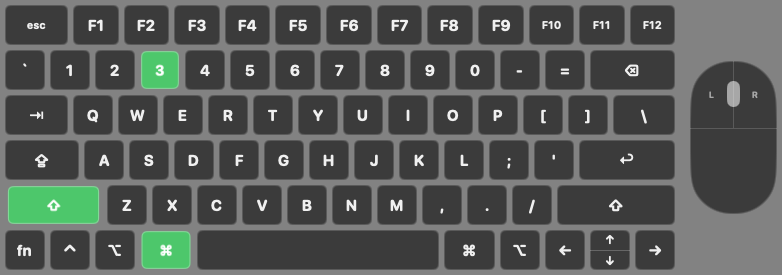
Show your key presses on screen for clips and tutorials. It scales with the Roblox window, windowed or full screen.
-
Launch screen
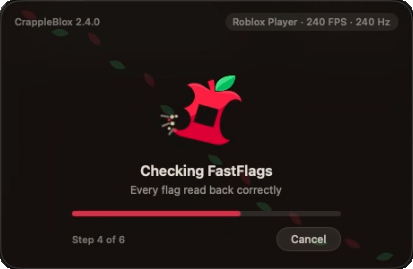
A bitten apple loading screen while Roblox starts, with a chime when you've actually spawned in. Every sound has its own volume, or can be swapped for your own.
-
Virtual monitor for streaming
Stream Roblox in a Discord call without sharing your whole screen. It stays up while you're streaming and closes itself when you're done.
Preview mode
Put everything exactly where you want it.
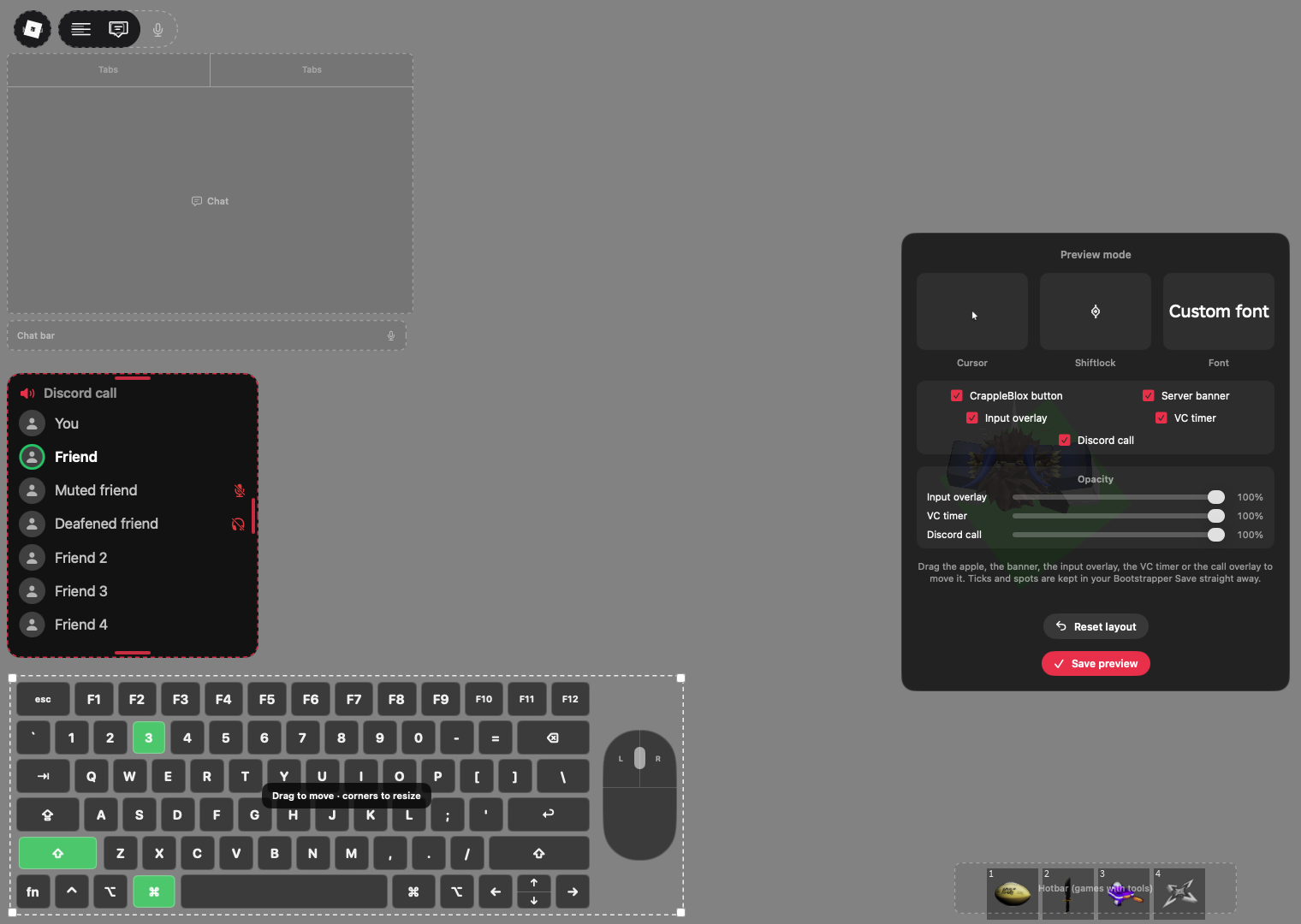
Preview mode lays out every overlay over grey outlines of Roblox's own chat, menu, player list and hotbar, so you can drag things clear of them. Drag to move, stretch to resize, and it saves as soon as you let go.
Each overlay has its own opacity slider right in preview mode, so you can fade them to taste without digging through settings. Positions scale with the window, so they stay put whether Roblox is windowed, full screen or on another display.
The app
And the usual launcher things, done properly.
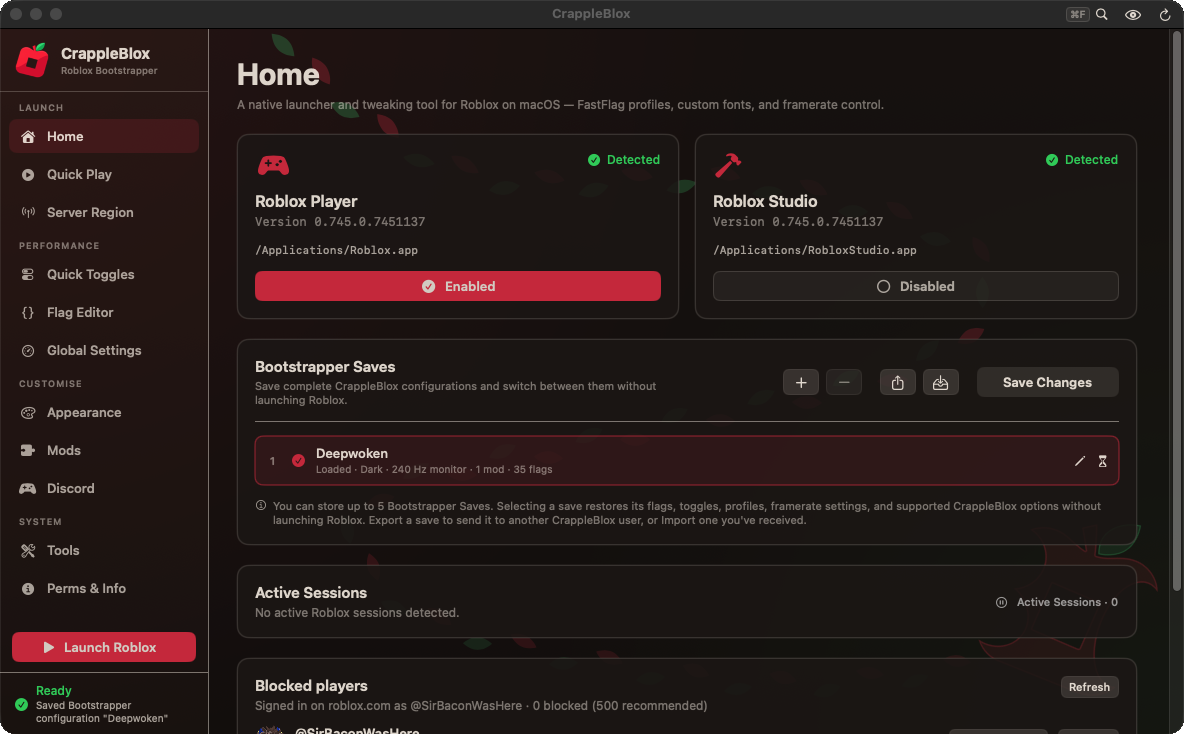
- Fast flags with saves. Keep different setups, switch between them, and share them with friends. Flags are only in place while Roblox launches, then cleaned up.
- Mods and fonts. Swap Roblox's interface font and apply mods, including the community mods list, shared with permission from Froststrap.
- Discord status. Show what you're playing on your Discord profile.
- One Roblox sign-in. Blocked players, the voice chat timer and your friends all use the same account. Its picture and @username show on each one, with Switch account and Sign out right there. You sign in on Roblox's own page, and CrappleBlox never sees your password.
- Blocked players. See everyone on your Roblox block list, unblock a few or all at once, or do it on a schedule.
- Always the right Roblox. Redetect lets you pick which Roblox Player or Studio CrappleBlox uses. Pick nothing, cancel, or hit a problem, and it finds the newest version on your computer by itself.
- Search every setting. Type what you're after, including things like "sign in" or "blocked", and jump straight to it.
- Everything undoable. CrappleBlox keeps a clean copy of what it changes, and uninstalling puts Roblox back the way it was.
Themes
16 themes to choose from.
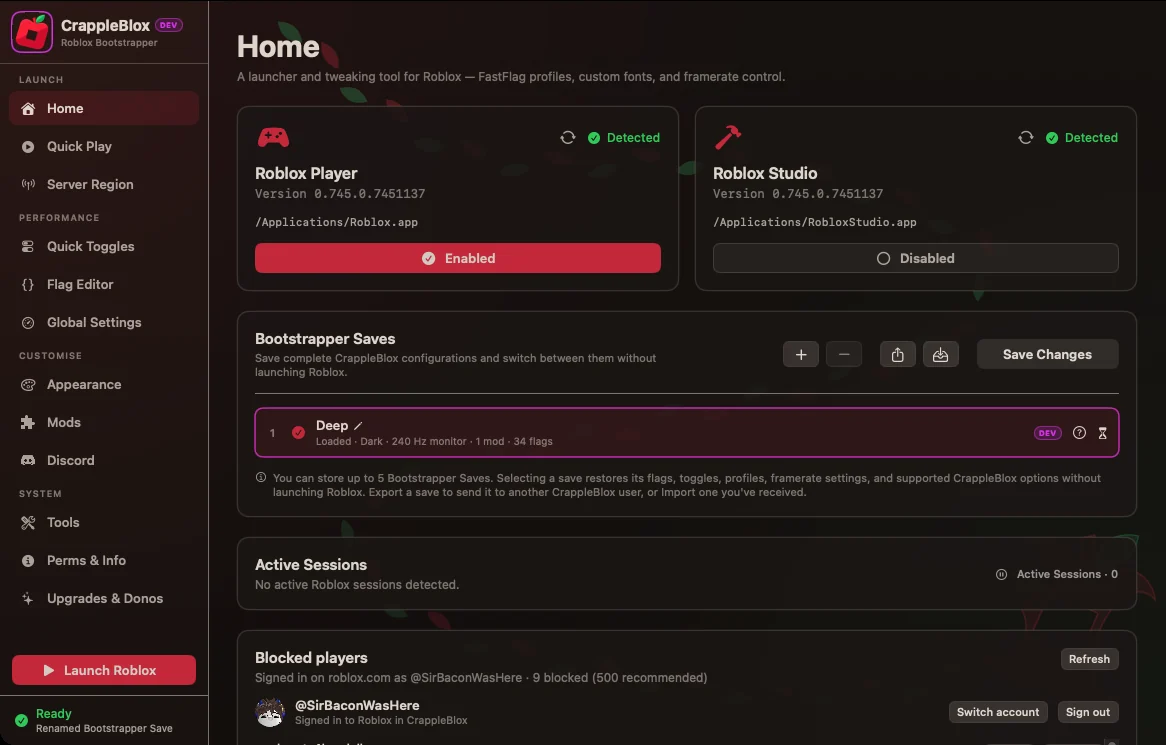
A theme changes the whole app, the overlays in your game and even the Dock icon. Try one: this page and the Home page beside it change with it.
Dark
Download
Get CrappleBlox
Which one is my Mac?
Click the Apple menu in the top-left corner, then About This Mac. Look at the second line:
It says Chip: Apple M1 (or M2, M3, M4…)
You have an Apple chip. Almost every Mac from late 2020 onwards. Download sites also call this arm64 or Apple Silicon.
It says Processor: Intel
You have an Intel Mac, usually from before 2021. Download sites also call this x64 or x86_64.
Still not sure? Get Any Mac. It has both inside and uses the right one by itself; the other two are only smaller. Every version needs macOS 14 Sonoma or newer.
- Open the download and drag CrappleBlox into Applications.
- Open CrappleBlox. If macOS stops it the first time, go to System Settings → Privacy & Security and click Open Anyway.
- Allow App Management when asked, so it can apply your settings to Roblox. Then press Play.
Windows is being tested
CrappleBlox for Windows has its Frame cap, Flag editor, Saves and Plus. It's built but still being tested, so the installer isn't up yet. Join the Discord to hear the moment it is.
Join the DiscordLinux is being tested
The Linux version works with Sober, the Roblox runner for Linux, and comes as an AppImage and a .deb. It's still being tested, so it isn't up yet. Join the Discord for updates.
Join the DiscordChromebook uses the Linux version
Chromebooks with an Intel or AMD chip can turn on Linux (Crostini), install Sober, then use the Linux build of CrappleBlox. CrappleBlox is for computers only: there won't be a phone or tablet version. Join the Discord to follow along.
Join the DiscordCrappleBlox Plus
Free is the whole app. Plus goes further.
Everything you need to play is free. Plus raises the limits for people who like to tune things.
Free
$0
- All themes, flags and server regions
- 1 saved flag set
- Frame cap up to 240 FPS
- Mac, plus Windows and Linux in Beta
Plus Month
$2.99 USD / month
- 5 saved flag sets
- Experimental frame cap above 240 FPS
- Higher limits across the app
- Cancel any time. Plus expires once your month ends.
Plus Permanent
$8.99 USD once
- Everything in Plus, for good
- One payment, no renewals
Purchases aren't open yet. Prices in US dollars. Frame caps above 240 FPS depend on Roblox accepting them, so the app checks and tells you if it didn't take.
Questions
Before you download
Is it free?
Yes. No account and no ads, and the whole app works for free. CrappleBlox Plus is an optional extra that raises some limits. Donations are optional.
Can I get banned for using it?
CrappleBlox only uses the fast flags on Roblox's own allowed list, so it stays within what Roblox permits. It doesn't touch Roblox's game code or give you an advantage over other players, and it only reads Roblox's own logs.
What does it change on my computer?
Only what you turn on: fast flags while Roblox starts (removed straight after), fonts or mods you apply, and its own settings folder. It keeps a clean copy first, and everything can be undone.
Why does my computer warn me when I open it?
Computers check apps downloaded from outside their app store. Allow it once in your security settings and it won't ask again.
How do I uninstall it?
Use Uninstall in CrappleBlox's Tools page. It puts Roblox back the way it found it, then you can drag the app to the Bin.
Something's broken. Where do I get help?
Ask in the Discord. Bug reports and ideas go there too, and that's where update notes are posted.

Support the dev
Chuck me some cash 🥺🙏
CrappleBlox is free and made by me in my free time. If it's made Roblox better for you, you can chip in whatever you like. It goes straight into more features and other projects.
- SirBaconWasHere
Payments are handled by the donation service, not this site. Your card details never reach this site or the developer.
Thank you
Top donators of 2026
The top 100 supporters this year, shown by their Roblox account. Donating again adds to your total. The board resets each year, and only people who left their Ko-fi donation public are counted.
No one is on the board yet this year. Be the first!
After donating, open CrappleBlox and press Add profile to ranking to put your Roblox account here. You can switch accounts any time.